

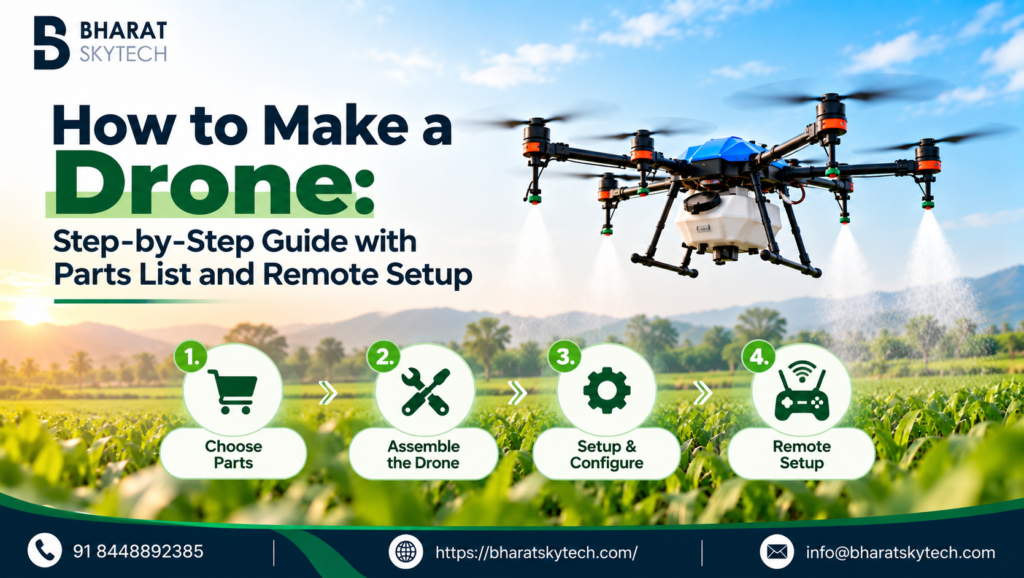
Wondering how to make a drone? You are not alone. More farmers, students and hobbyists in India now want to build their own drone instead of buying a ready-made one. Building a drone costs less, lets you choose every part, and teaches you how to repair it when something breaks.
In this guide, we explain how to make a drone step by step. We use a spraying (agriculture) drone as the example, because it covers every system a drone needs: frame, motors, flight controller, battery, GPS and payload. We also cover how to make a drone remote work with your build, so you can fly it safely.
Why Learn How to Make a Drone at Home?
- Lower cost: Buying parts separately is often cheaper than a ready-made drone.
- Full control: You pick the frame size, motors, battery and payload for your own use.
- Easy repairs: You know every wire and part, so fixing a crash or fault is faster.
- Real skills: You learn flight control, power systems and calibration.
Essential Components for Your Agriculture Drone
Here’s a list of components you’ll need, available at Bharat Skytech, along with direct links:
Part | Product | What It Does |
|---|---|---|
Frame | Six folding arms, 10L tank, and 1407 mm wheelbase | |
Motor, ESC and Propeller (6 Needed) | Includes a motor, integrated ESC, and 24-inch folding propeller for 12S–14S systems | |
Flight Controller and GPS | Controls drone flight with dual GNSS and a 4-way pump output | |
Battery (2 Needed) | Two 6S packs connected in series provide 12S power | |
Battery Connector | Provides a safer battery connection with anti-spark protection | |
Charger | Dual-channel charger supporting 6S–14S battery packs | |
Spray Nozzle | Sprays liquid evenly onto crops | |
Remote Controller | Controls the drone with a range of up to 20 km | |
Camera (Optional) | Provides a live view and supports aerial inspection |
How to Make a Drone in Simple Steps
Step 1: Assemble the frame
Start with the EFT E610P frame, because every other part attaches to it. Unfold the six C-clamp arms, tighten every screw, and check that the frame sits level and does not flex. The bare frame weighs 5.92 kg and opens to about 2007 mm across, so work on a large, clear table or floor.
Step 2: Mount the motors
Fix one X6 Plus G2 combo at the end of each arm. The ESC is built into the motor, so there is no separate ESC to mount. Check that the arm tube size suits the motor mount (the X6 Plus G2 is made for 30 mm tubes), then connect the power and signal cables. Keep three clockwise and three anticlockwise propellers ready, because neighbouring motors must turn in opposite directions.
Step 3: Install the flight controller
Place the VK V9 flight controller at the centre of the frame, with the arrow pointing to the front, and use vibration-damping mounts. Connect the power unit, GNSS antennas and motor signal lines. The V9 works with quadcopters, hexacopters and octocopters, so it suits this six-arm frame.
Step 4: Add the spraying system
The E610P comes with a 10L tank. Fit the pump and the Aerosol Nozzle Max, then connect the pump to the V9’s pump output. The V9 also has inputs for flow and level meters, so it can monitor the spray. Keep the tank centred so the weight stays balanced, and check every pipe for leaks.
Step 5: Set up power and the battery
The frame is built for a 12S battery and the X6 Plus G2 runs on 12S–14S, so connect two Evercell 6S packs in series through the XT90S anti-spark connector. If you are not sure how to wire packs in series, ask Bharat Skytech support before you connect anything. Charge both packs on the Evercell EC2000, and never power on with loose, crossed or reversed wires.
Step 6: Fit the propellers
Attach propellers last. Match each propeller to its motor rotation (clockwise or anticlockwise) and tighten it well. Never fit propellers while you are still testing wiring or software.
Step 7: Calibrate and test
Connect to the flight controller with its setup app (the VK Agriculture App for the V9) and calibrate the compass, accelerometer and radio. Set the flight modes and run a motor test without propellers.
Step 8: Do a trial flight
Take the drone to a wide, open area with no people nearby. Do the first flight with an empty tank, hover at a low height, and check that it stays stable. Fill the tank only after the drone flies well.
How to Make a Drone Remote (Transmitter and Receiver Setup)
A drone needs a remote to be flown, so this part matters as much as the frame. Here is how to make a drone remote work with your build, whether you are building a drone at home or a farm sprayer. We use the B12 Bharat Agriculture Drone Remote Controller, which has a 5.5-inch 1080p screen, 12 channels, an Android 13 system and up to 20 km range with its BR20 receiver.
- Choose a remote controller. Pick a long-range controller with a built-in screen and live video. The table below shows the options currently sold by Bharat Skytech.
- Fit the receiver. The BR20 receiver comes with the B12. Mount it away from motors and thick wires, with a clear view of the sky.
- Connect it to the flight controller. The receiver has one SBUS output, three PWM outputs and a data port. The B12 page does not list compatible flight controllers, so confirm the link with the V9 on a call with Bharat Skytech before you buy.
- Bind the remote. Put the receiver in bind mode, switch on the transmitter and wait for the link light to turn solid.
- Calibrate the radio. Move every stick and switch to its full range in the setup app.
- Set the failsafe. Choose what the drone does if the signal drops. Return-to-launch is the safest setting for most builds.
Always check that the throttle, roll, pitch and yaw sticks move the drone the way you expect, with the propellers removed, before the first flight.
Remote Controller | Best For |
|---|---|
Skydroid T12 Transmitter with R12 Receiver & Camera Combo | Budget builds |
Skydroid H12 Transmitter | Mid-range spraying drones |
SIYI MK15 Mini HD Handheld Transmitter Combo | HD video and long range |
SIYI MK15E Mini HD Handheld Smart Controller Combo | HD video and long range |
B12 Bharat Agriculture Drone Remote Controller | Make in India, 20 km range |
SIYI MK32 Handheld Ground Station and RC Transmitter | Ground-station features |
SIYI UniRC 7 New Era Handheld Ground Station | Latest SIYI ground station |
Want a Bigger Drone?
If 10 litres is too small, the same method works for larger frames. Bharat Skytech sells the EFT E616P 16L frame at approx ₹40,999 and the EFT E620P 20L frame at approx ₹55,999. For heavy-lift builds, look at the Hobbywing X13 18S Motor with 5620 Propeller Combo at approx ₹51,999. Always match your motors, battery and flight controller to the frame before you order.
Tips to Make a Drone Safely and Well
- Buy parts from trusted brands, and make sure the motors, battery and flight controller suit each other.
- Double-check wiring, polarity and mounting before you power on.
- Test every system without payload first.
- Charge batteries with the correct LiPo charger and store them safely.
- Follow India’s drone rules. Check the latest Drone Rules and DGCA requirements for registration, pilot certification and spraying permissions before you fly, especially for agriculture use.
Conclusion
Now you know how to make a drone: pick matching parts, assemble the frame, mount the motors, install the flight controller, set up power, fit the propellers, pair the remote, calibrate and test before the first flight. Whether you want to make a drone at home to learn or to build a spraying drone for your farm, careful wiring, genuine parts and a proper drone remote setup decide how well it flies. Start small, test often and follow the drone rules in India.
Once you know how to make a drone, you need genuine parts. Bharat Skytech is India’s trusted agriculture drone components store and an authorised distributor for global brands, with parts sourced direct and never grey market. You get free shipping across India, 24/7 expert support and a 7-day replacement for manufacturing defects. Bulk orders are available with custom pricing. Bharat Skytech is promoted by Thakral Corporation.
For help with how to make a drone for your farm or project, call +91 62613 13136 or shop online at bharatskytech.com.